ArchivaLLM
A downloadable tool for Windows
Preserve your ChatGPT history as a real local archive
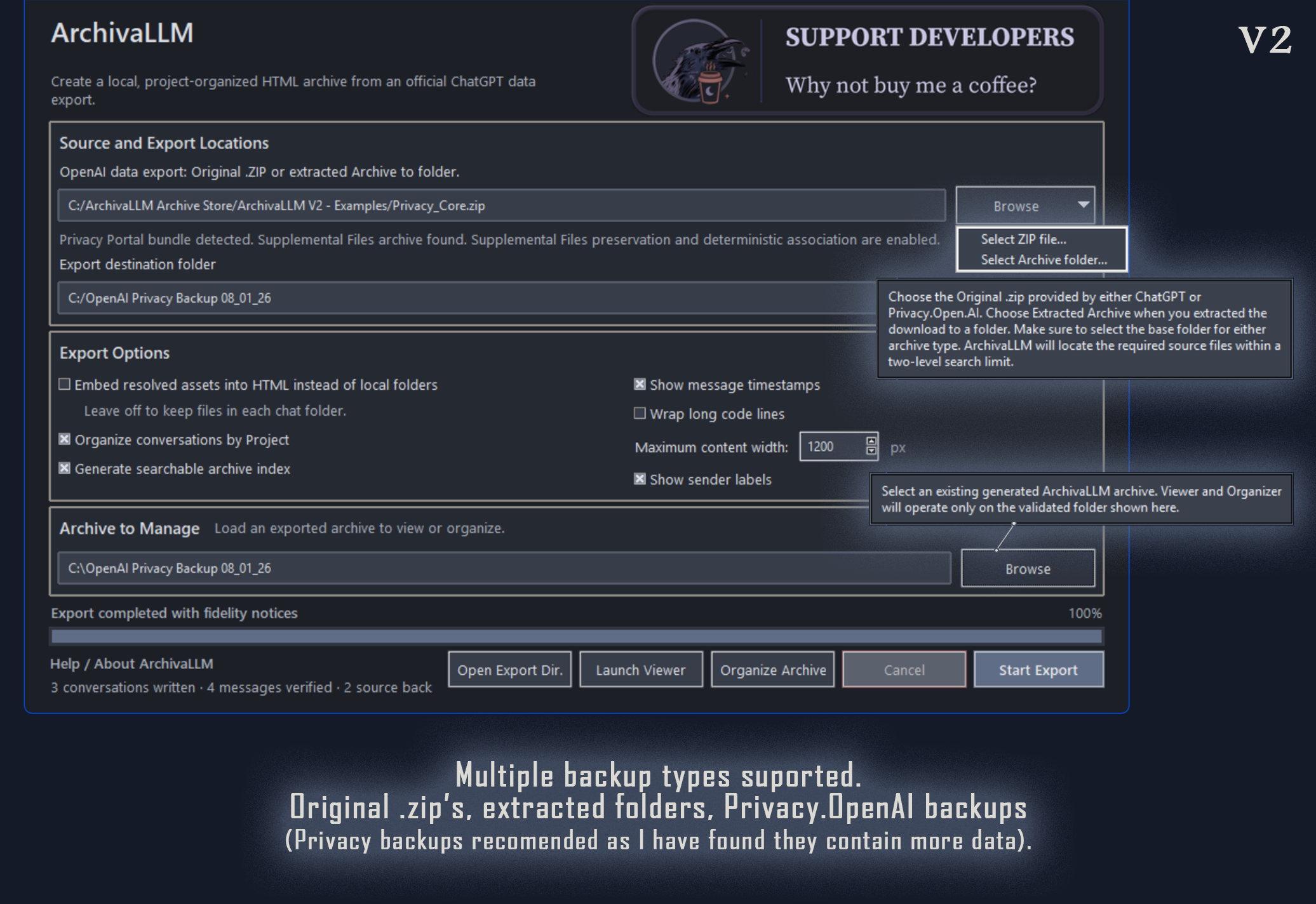
ArchivaLLM converts an official ChatGPT data export into a readable, standalone archive stored entirely on your own computer.
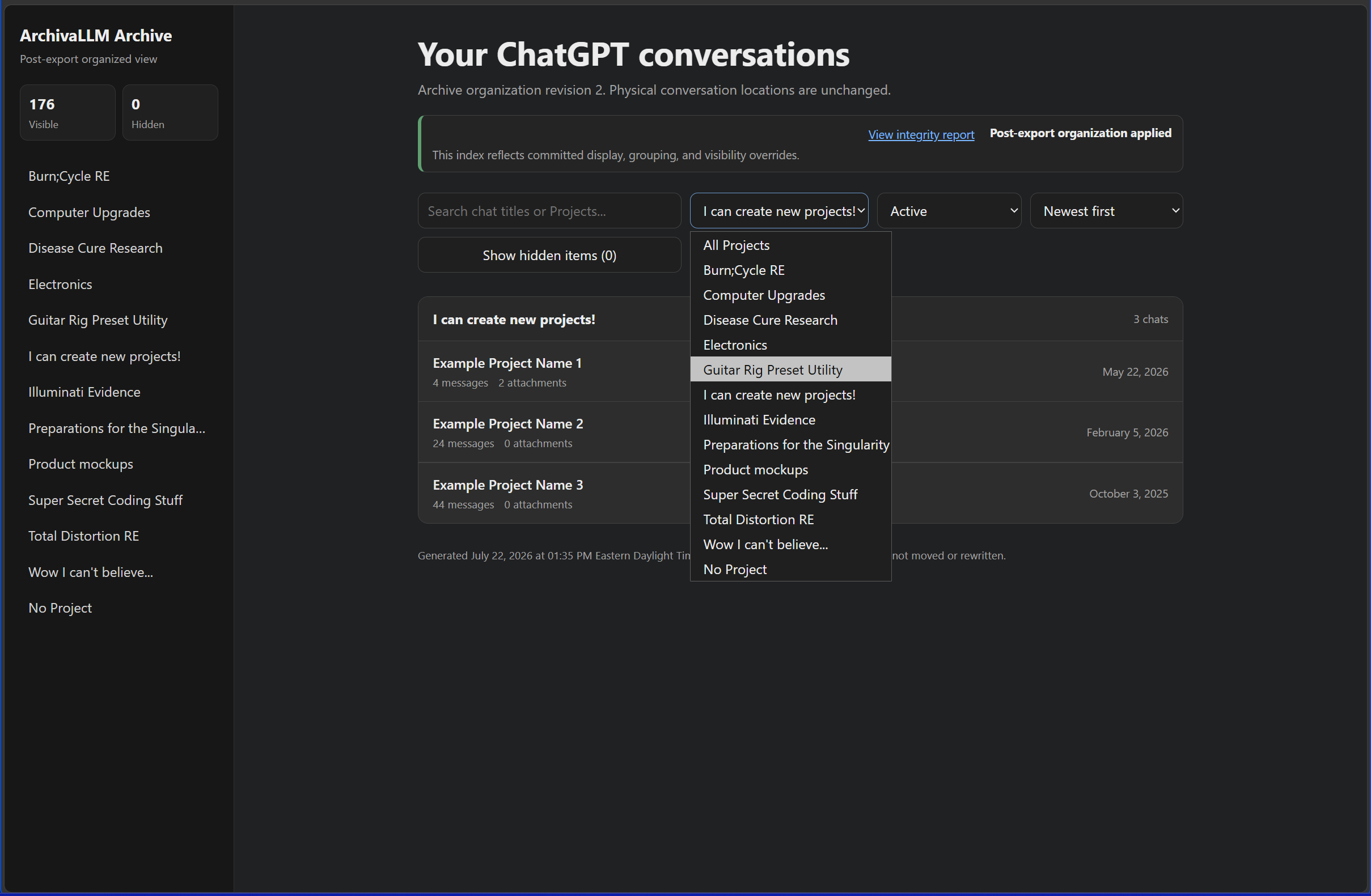
Instead of searching through large JSON files, numbered conversation shards, and generically named .dat payloads, ArchivaLLM reconstructs your exported conversations as organized local HTML pages that open directly in a normal web browser, complete with a navigation menu.
No local server or network access is required, and the original OpenAI export is left untouched.
What ArchivaLLM does
- Converts an official ChatGPT ZIP export or extracted export folder
- Creates one readable HTML page for each conversation
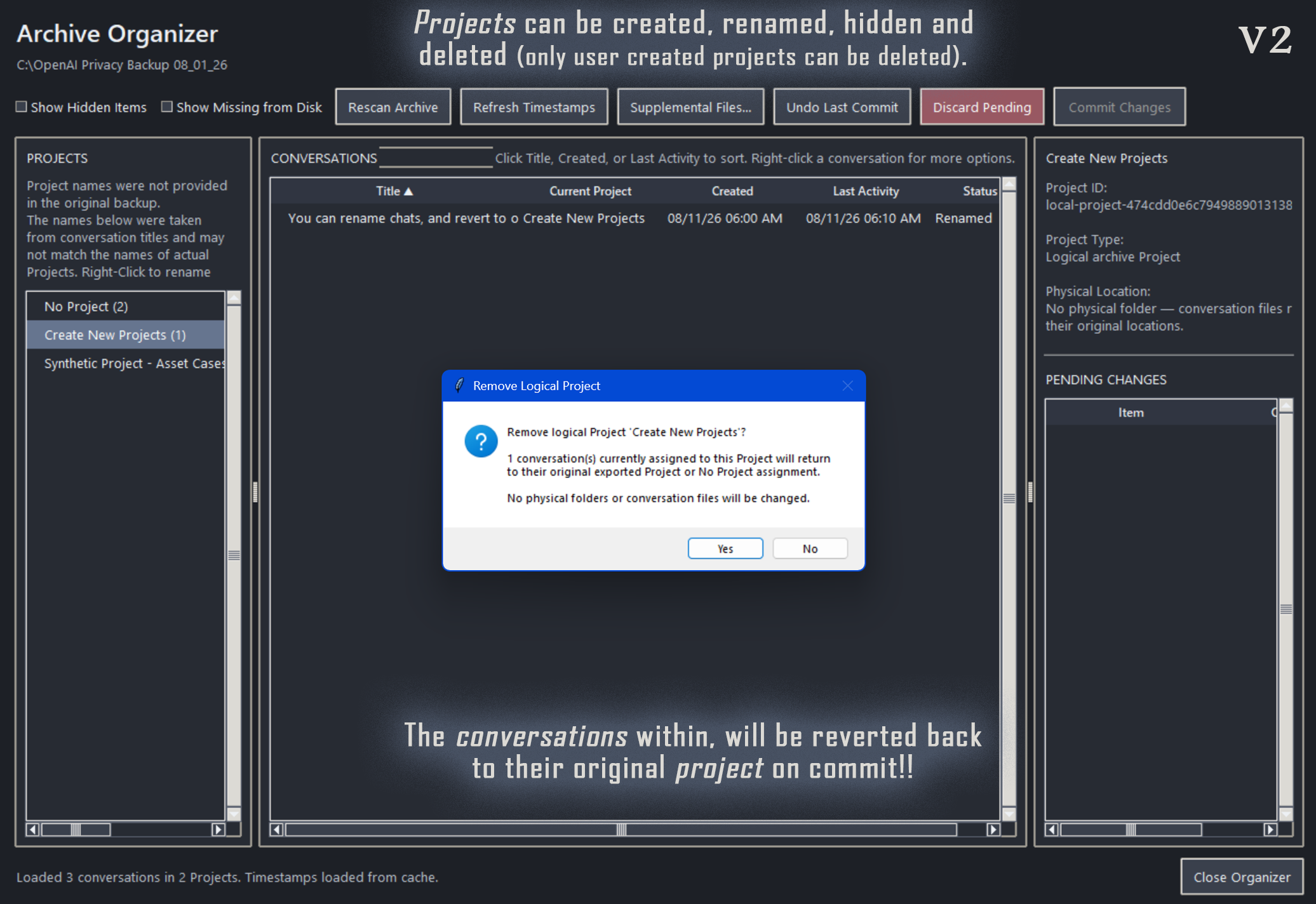
- Groups conversations under Projects or No Project (OpenAI's official export doesn't track project names in it's export so ArchivaLLM uses the name of the first chat in the project, which is editable in the Archive Organizer)
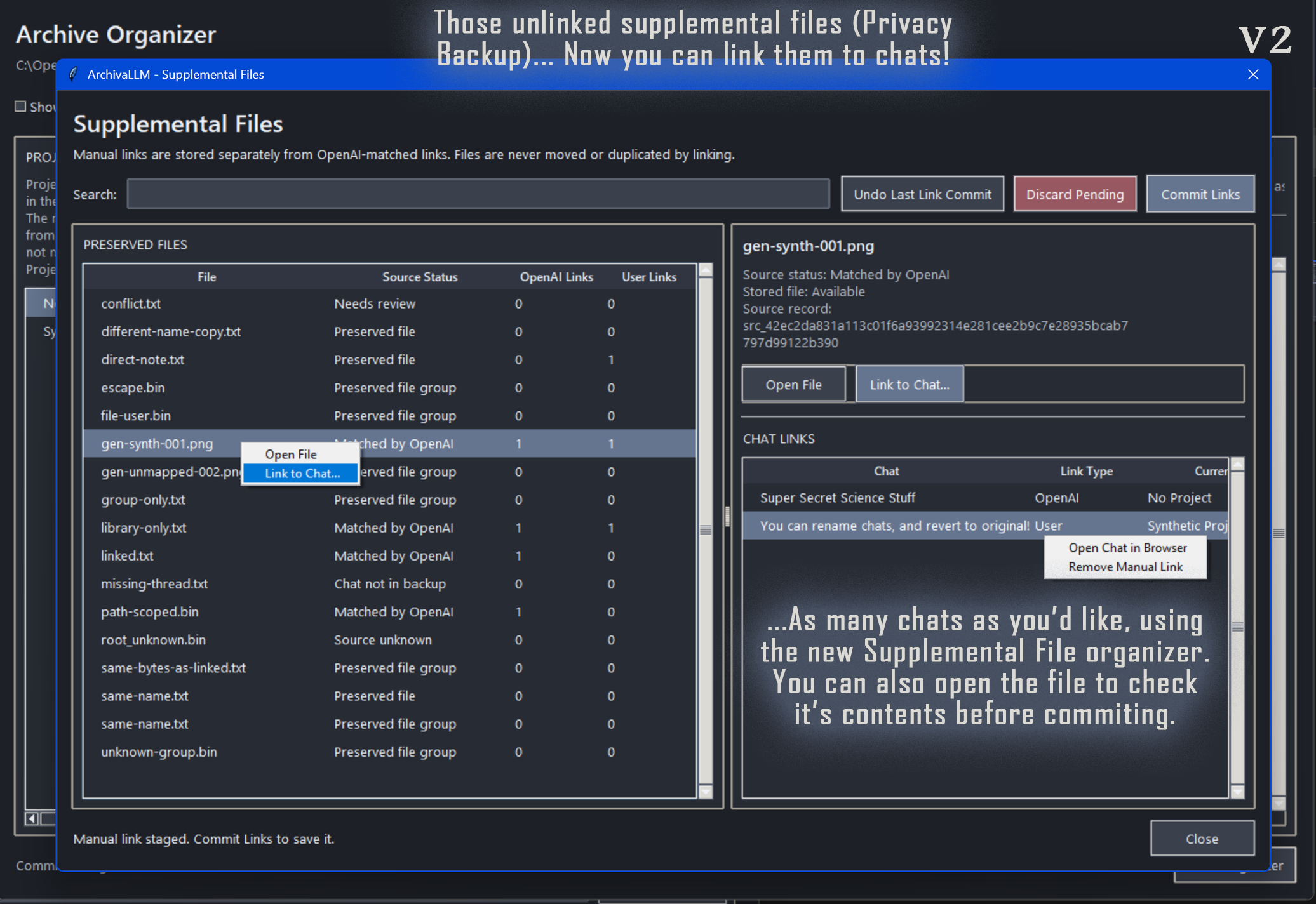
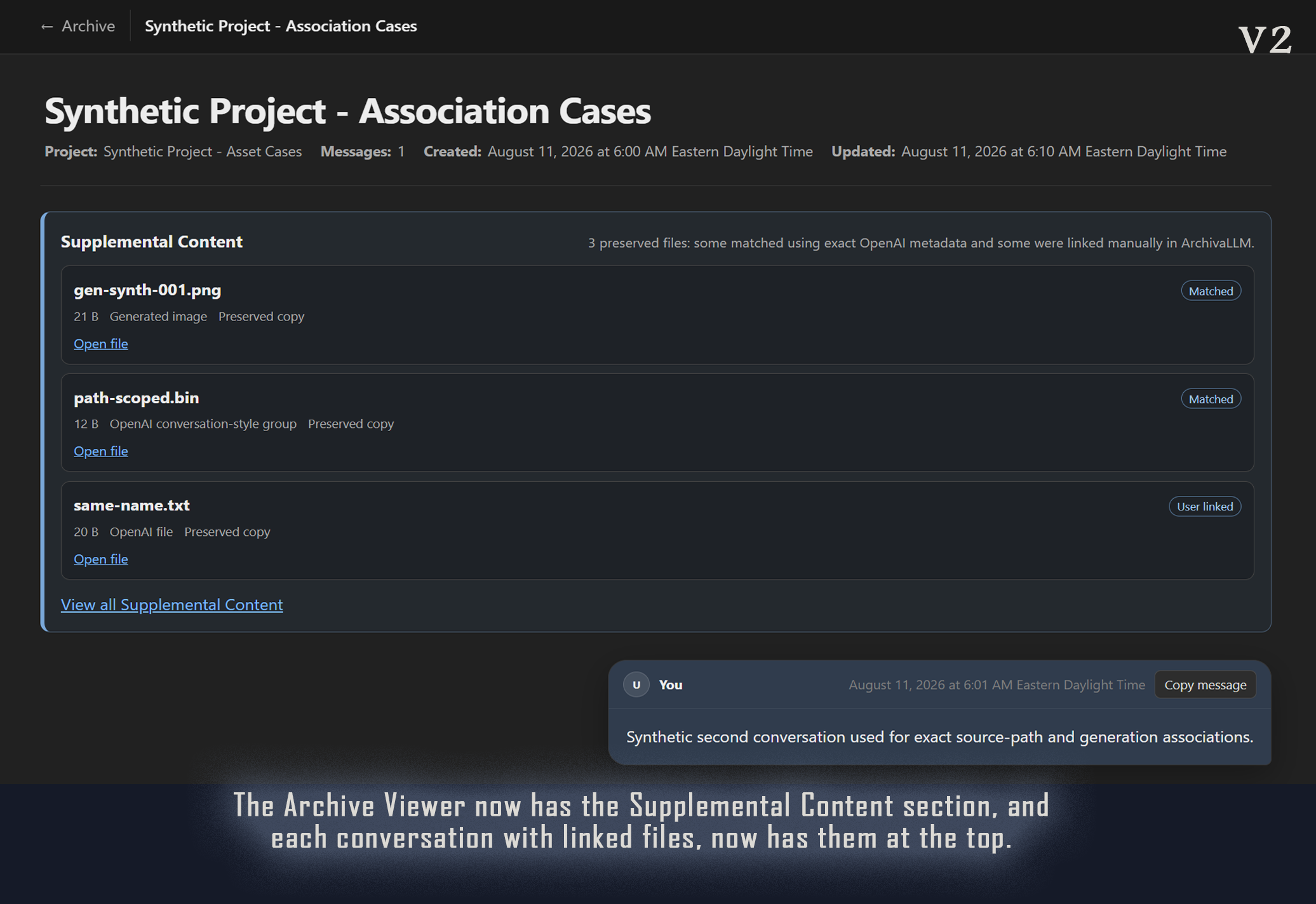
- Restores deterministically recoverable images, documents, code files, audio, video, artifacts, and other exported assets
- Restores original filenames, extensions, and media types when the export provides sufficient metadata
- Preserves Markdown, headings, lists, tables, links, citations, and code
- Provides clean Copy Message and exact Copy Code controls
- Creates a searchable local archive index
- Supports archived and active conversation filtering
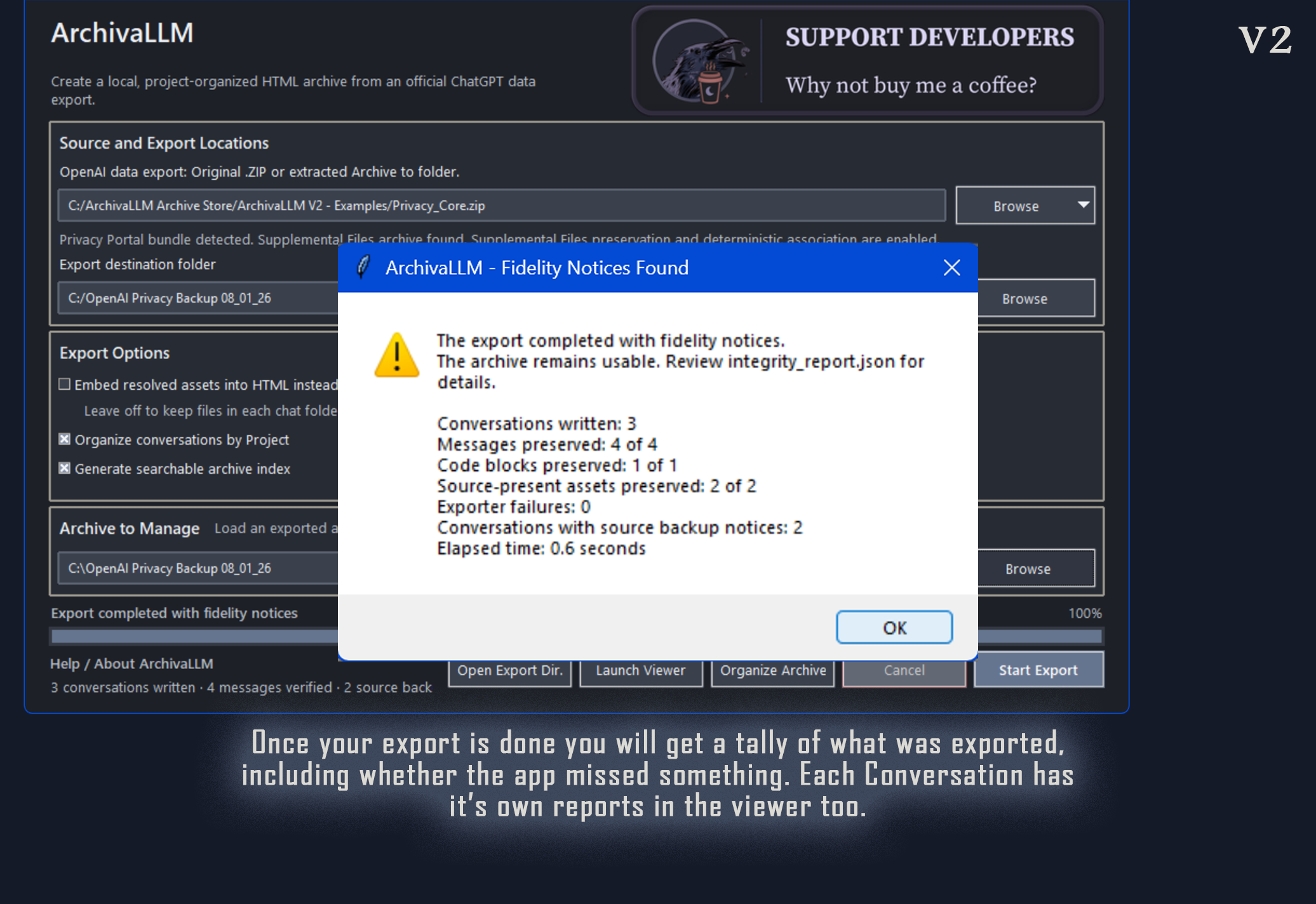
- Produces integrity reports to identify missing source data or preservation problems
- Keeps all processing local to your computer
Archive Organizer
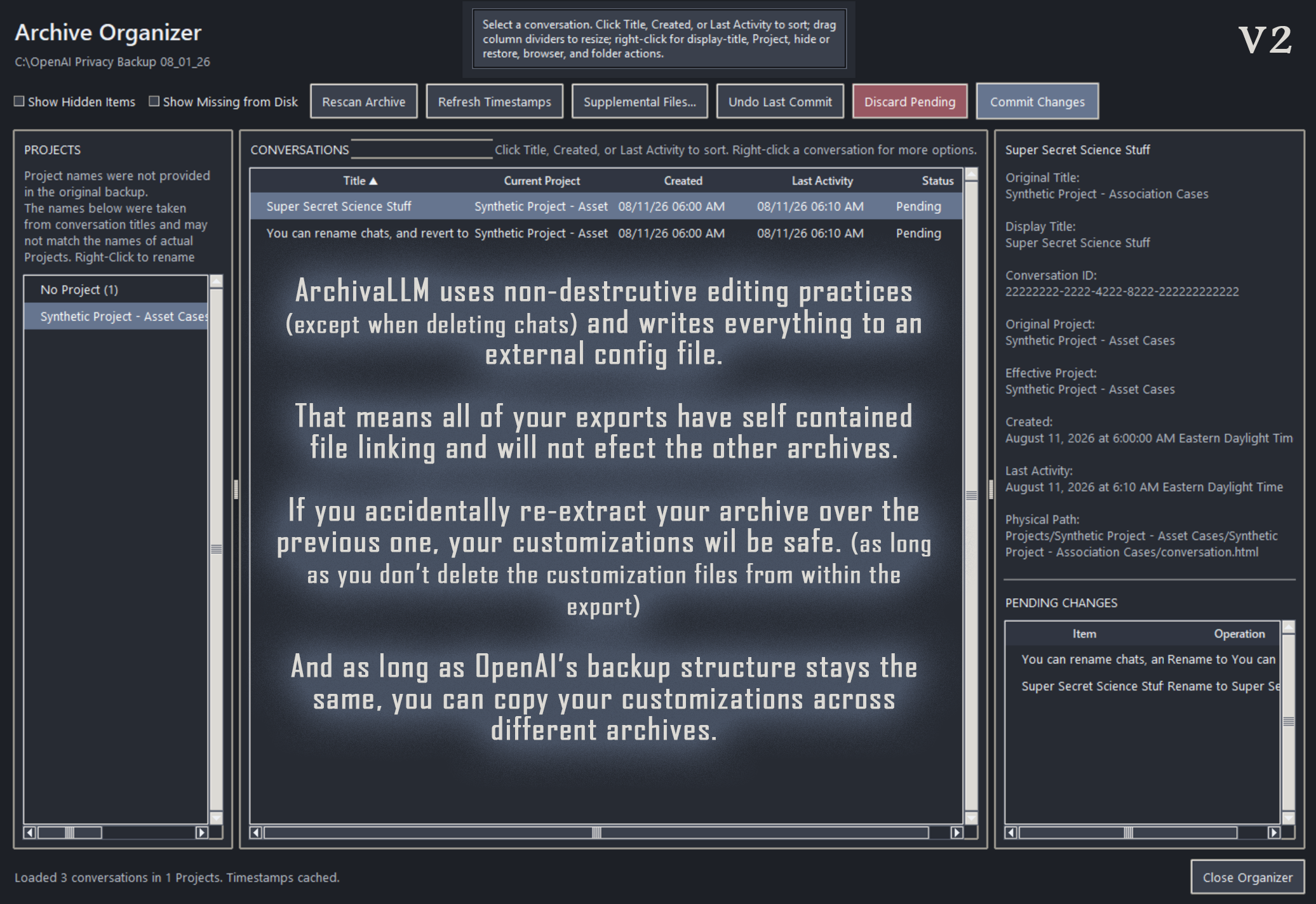
ArchivaLLM also includes a post-export Archive Organizer.
You can:
- Rename locally inferred Project names
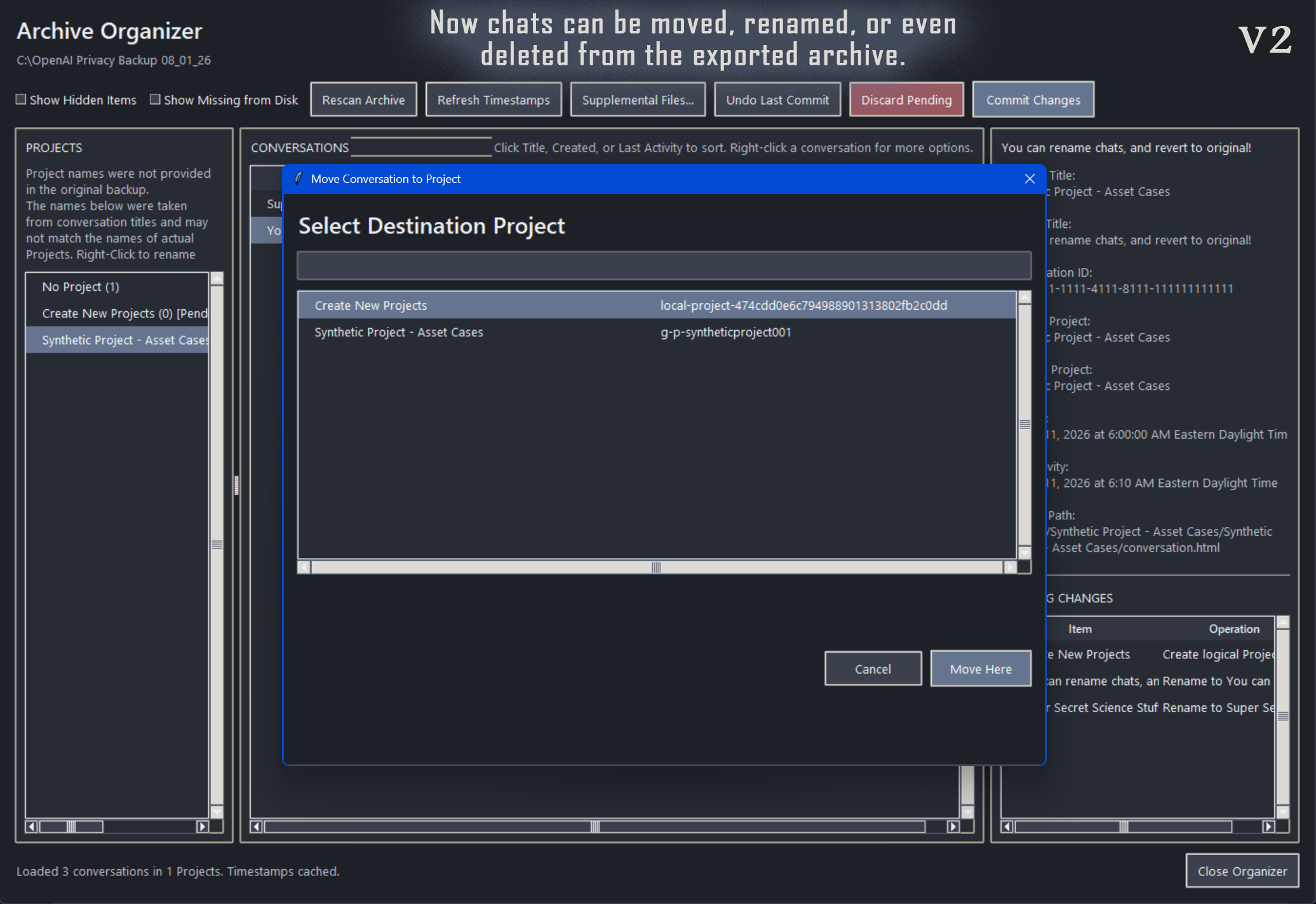
- Move conversations between Projects regardless of what model was used
- Move conversations to "No Project"
- Create local organizational Projects
- Hide and restore conversations
- Hide and restore Projects
- Remove locally created Projects
- Undo supported organizer actions
- Commit staged organization changes
These operations affect only the generated local archive. They do not alter your original ChatGPT export or your live ChatGPT account.
Designed for accurate preservation
ArchivaLLM distinguishes between:
- Content present in the supplied OpenAI export that the application can preserve successfully
- Content referenced by exported conversation data but not present as a recoverable file or record in that export
ArchivaLLM does not invent, recreate, or silently substitute unavailable content. Its integrity reports document what was found, preserved, unresolved, or absent from the supplied export.
These reports are diagnostic findings based only on the contents of the export provided to the application. They are not, by themselves, proof that OpenAI permanently lost, deleted, or failed to retain the underlying data.
Before reporting a possible export-completeness issue to OpenAI, users should independently confirm the finding against:
- The original, unmodified OpenAI export
- The corresponding live ChatGPT conversation
- Any available ChatGPT Images or file-library records
- A newly requested export, where appropriate
ArchivaLLM processes local copies and does not modify the original OpenAI export or the user’s live ChatGPT account.
Important limitation
ArchivaLLM can preserve only information contained in the OpenAI export package supplied to the application.
In some exports, content visible elsewhere in ChatGPT may not be represented by a recoverable file or authoritative record in the supplied package. This can include generated images, attachment records, intermediate message records, or user-facing Project names. When the necessary source data is not present, ArchivaLLM cannot reconstruct or verify that content.
The application reports detectable inconsistencies and unresolved references based solely on the supplied export. These findings indicate that content could not be recovered from that package; they do not, by themselves, establish that OpenAI permanently lost or deleted the underlying data.
System requirements
- Windows desktop computer
- An official ChatGPT data-export ZIP or extracted export folder
- A modern web browser for viewing the generated archive
- Sufficient disk space for both the original export and the reconstructed archive
Windows 11 is the currently tested platform.
Privacy
ArchivaLLM runs locally.
Your conversations and exported files are processed on your computer. The application does not require uploading your ChatGPT archive to another service.
Support and updates
Release information, known issues, and updates will be posted on this itch.io page and through the TheWhimsyMacabre creator profile.
ArchivaLLM is independently developed and does not include guaranteed individual technical support.
Independence disclaimer
ArchivaLLM is an independent archival utility. It is not affiliated with, endorsed by, or maintained by OpenAI.
“ChatGPT” and “OpenAI” are trademarks of their respective owner.
Download
Click download now to get access to the following files: